CRM Email Changes and Attribution: Audit Identity Before Replaying Conversions
By Rajesh Kumar, Founder, Attribi ·
When a CRM contact's email changes, check whether the CRM, attribution tool and conversion destination still refer to the same person before resending anything. A CRM merge or email edit does not prove that an external integration has migrated historical attribution, recognised every alias or safely deduplicated a replay.
This guide is for marketers and agencies investigating a specific identity-change exception: a lead converted under one address, but the CRM later holds another. It is not a recommendation to send more identifiers indiscriminately or to merge records just to improve a reporting total.
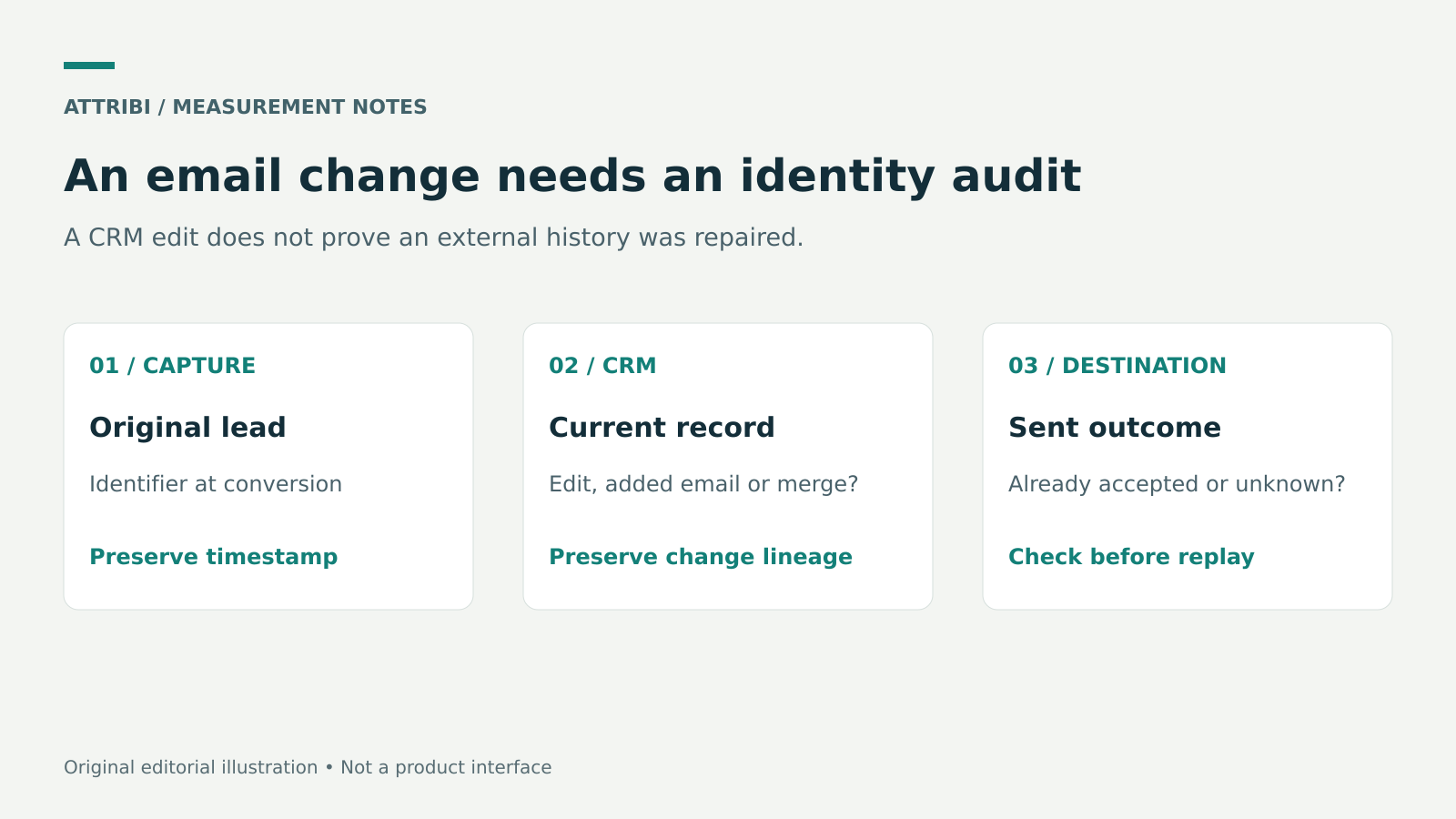
Trace the record across systems.
Separate formatting, identity and event duplication
Three different problems can look like one failed match.
Formatting concerns how an address is prepared for a particular destination. Trimming or normalising a permitted input according to the destination's specification is different from deciding which person owns it.
Identity concerns whether the current CRM contact is the same person as the original lead. A personal address replaced with a company address is a substantive change, not a spacing correction.
Event duplication concerns whether an outcome has already been sent. Even if the revised email is correct, sending the sale again can create a separate counting problem. Event identifiers and the destination's correction rules need their own review.
The guide to hashing emails for conversion uploads covers input preparation. Hashing a different email produces a different input representation. It does not establish that two addresses belong to the same person, nor does it repair a broken CRM association.
Build a restricted identity timeline
Start from one affected conversion and one known-good control. Record the sequence rather than comparing only today's screens.
| Checkpoint | Evidence to retain |
|---|---|
| Original lead capture | Timestamp, source record ID and the identifier captured at that time |
| CRM change | Contact record ID, change time and whether the action was an edit, added email or merge |
| Commercial outcome | Deal ID, association, stage, value and outcome time |
| Integration processing | Available import or delivery evidence and the identifier it actually used |
| Destination result | Accepted, rejected, pending or unknown status, plus event or request reference if available |
Keep raw addresses inside an approved, access-controlled audit location. A general project tracker normally needs the record IDs, issue category and owner, not a copy of the person's identifiers. Use synthetic addresses for demonstrations and screenshots.
An "unknown" entry is useful. It shows where evidence is missing. Replacing it with an assumption that a connector "must have picked up the new email" makes the eventual explanation less reliable.
Know what HubSpot documents about multiple emails
HubSpot allows multiple email addresses on a contact. Its documentation explains the role of the primary email and how reports and workflows reference the Email property. Default exports include the primary email, so a basic export can omit secondary-address context that matters to an investigation.
An email edit, an added secondary email and a record merge are different operations. Write down which one occurred. If a teammate says "we updated the contact", ask for the record history rather than treating that description as a complete technical explanation.
HubSpot's deduplication documentation describes its own record rules. Those rules do not establish what every connected application does. A contact that is deduplicated inside the CRM may still require investigation in an external system that originally matched on a different value.
Likewise, HubSpot's merge guidance describes consequences and exceptions of merging records. Merging is not reversible through an unmerge action. Do not use it as a casual attribution troubleshooting experiment. Have the CRM owner verify the records and the current merge behaviour before making a consequential data change.
What Attribi currently documents
The Attribi HubSpot integration documents email matching. Full mode can create a missing contact; attribution-only mode enriches a match but does nothing when none is found. Its public documentation does not establish automatic alias resolution, migration after a primary-email change, merge propagation, historical repair or safe replay.
Those gaps in documentation are questions to verify for the affected record, not evidence that the product necessarily fails or succeeds in every case. Keep your desired behaviour separate from the behaviour you have observed.
The tracker script reference describes automatic email-field capture on blur and a manual conversion call for account creation. Do not call window.MTA.convert() to repair an email change, on every authenticated render or on URLs containing an email or token. An email field losing focus is not necessarily a completed purchase or a signed contract. Preserve the distinction between the captured lead identity and the later business outcome.
A published counting limit is not a general guarantee of replay safety after an identity change. Check the actual event and its documented correction path.
Classify the exception before choosing a remedy
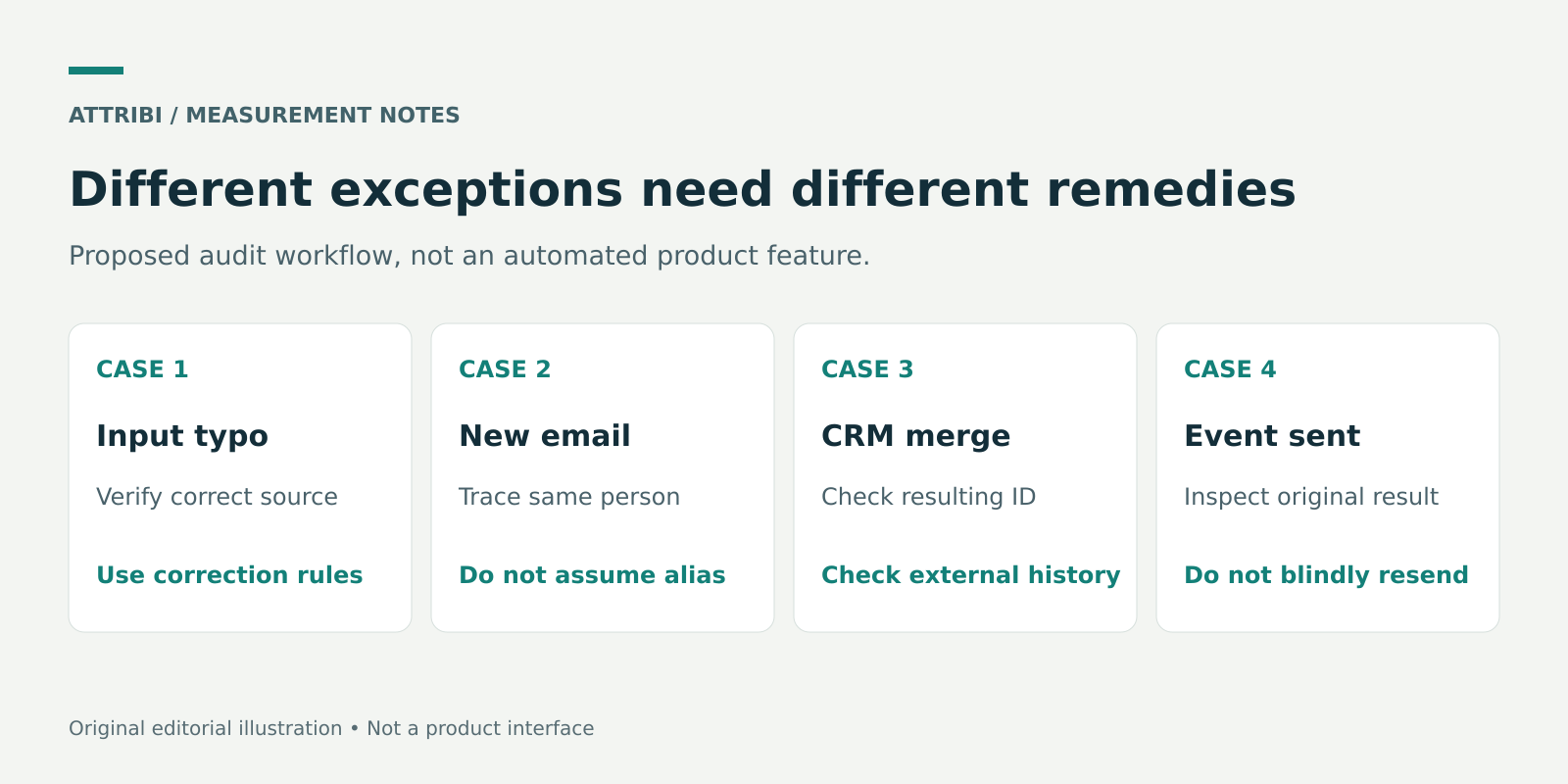
The action depends on the exception type. A resend is not the default remedy.
The original identifier was mistyped
Verify the correct address through your normal customer-data process. Check which systems received the typo and whether the original conversion was accepted. Correct the source record where authorised. Then determine whether the downstream system supports an update, a retraction or another documented correction path. Do not assume another ordinary conversion upload replaces the old one.
The person changed their address
Keep the chronological relationship clear: old identifier at capture, verified new identifier in the CRM, and the outcome's associated contact. Check whether the integration can demonstrate that relationship. If its documentation does not answer the question, provide record references and timestamps to support through the authorised channel rather than sending the entire customer list.
Two CRM contacts were merged
Retain the pre-merge record references, resulting record reference and relevant deal associations in your restricted audit. Verify the actual resulting ID rather than assuming the primary ID survives. HubSpot's current guidance distinguishes default merge behaviour from its Primary ID Preservation public beta. Inspect what the integration currently holds. Do not assume that a CRM record merge has automatically combined historical journeys or conversion histories elsewhere.
The outcome was already sent
Find the original event reference and result first. An absent campaign credit is not the same as a rejected upload. If the destination accepted the event but did not attribute it, a new email or a second upload may not solve the problem. Review eligibility, timing and documented correction behaviour instead.
Use a test plan that cannot create production noise
Write the expected behaviour before testing. For example: "A verified address change on this existing CRM contact should not create a second revenue event for the same sale." This is a proposed acceptance criterion, not a claim that a product already implements it.
Use a supported test environment or a non-production destination where one is available. If none exists, review records and logs first and obtain the appropriate approval before an action that could send a real conversion. Do not invent a sandbox or assume a test flag exists.
Check the original lead, the current contact and the commercial outcome separately. Capture the result as observed, including pending or unknown states. If a connector's processing is scheduled, allow its documented processing cycle before treating a missing immediate update as failure.
For agencies, define who can approve identity corrections and who can approve a conversion resend. They may be different people. Keep each client's evidence and destination accounts separate.
Close the exception with an explanation
A useful resolution says what changed, which systems were checked, whether an event was previously sent and which action was taken. It does not simply say "fixed matching".
For example, a hypothetical resolution might read: "The CRM contact now uses a verified company email. The earlier conversion used the previous address. External historical migration could not be confirmed, so no duplicate revenue upload was attempted. The unresolved association is assigned to the integration owner."
That is more useful than claiming full recovery without evidence. It also leaves a clear next step without exposing personal data in a broad report.
Use CRM offline conversion tracking QA for the wider capture-to-destination audit. Use this identity timeline when a change, alias or merge is the suspected cause.
Frequently asked questions
Does changing the primary email automatically repair historical attribution?
Not necessarily. A CRM property change and an external attribution history are different records. Verify the integration's documented behaviour and inspect the affected record.
Can I hash both addresses and send both?
Do not treat that as a universal fix. Confirm the destination's accepted identifiers, your permitted use of the data and the integration's supported payload. This guide does not establish permission or support for sending extra identifiers.
Is a contact merge a safe way to fix missing revenue?
Not by default. Confirm that the records genuinely represent the same person and understand the CRM's merge consequences. A merge does not prove that downstream attribution or sent events are repaired.
Should I replay a conversion that is absent from a campaign report?
First establish whether the original event was sent and accepted. Reporting credit, delivery success and duplicate handling are separate questions. Use a documented correction route when one applies.
Sources
- HubSpot: Add multiple email addresses to a contact
- HubSpot: Deduplication of records
- HubSpot: Merge records
- Attribi: HubSpot integration
- Attribi: Tracker script reference
Documentation checked 23 October 2026. Examples are illustrative. The audit workflow is a recommended practice, not an additional Attribi capability.
Connect your CRM once. Every closed deal reaches your ad platforms.
Attribi pulls stage changes from your CRM, matches each deal to the lead it already recorded, and uploads qualified and closed won conversions to Google, Meta, LinkedIn, TikTok and Microsoft.
No credit card. Free up to 500 visitors a month. New workspaces start with 30 days on Pro.