HubSpot Lifecycle Stage vs Deal Stage: Diagnose Missing Ad Revenue
By Rajesh Kumar, Founder, Attribi ·
A HubSpot lifecycle stage describes a contact or company's relationship with your business. A deal stage describes the progress of a particular sale. A closed-won deal does not, by itself, prove that every advertising report will count its revenue. Check the report's eligibility rules, the associated contact's lifecycle stage and the integration's event definition separately.
For a marketer comparing HubSpot with Google Ads, LinkedIn or Meta, this distinction matters before changing a campaign budget. A missing number can be a reporting-rule problem rather than a missing sale.
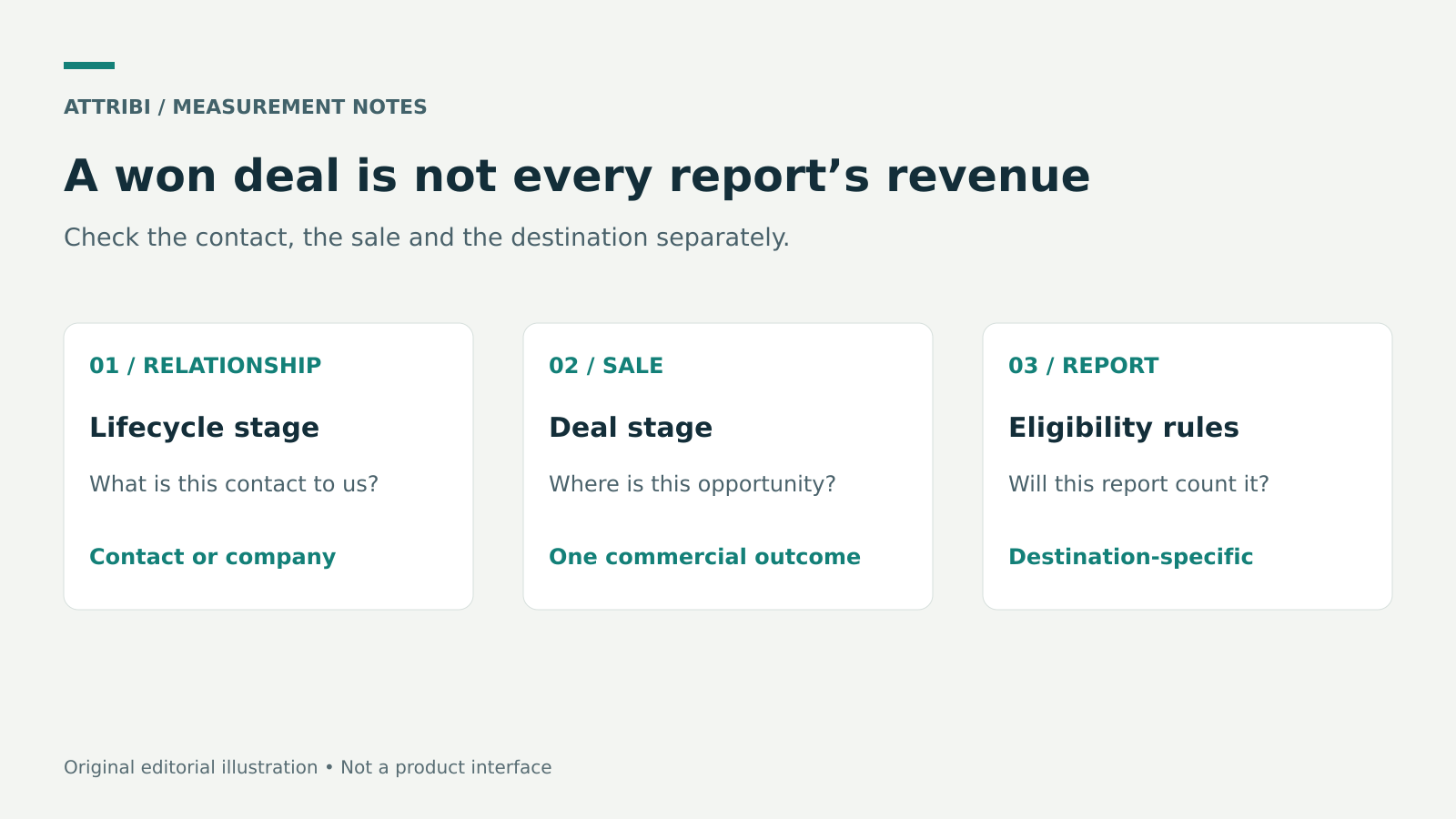
Treat these as separate checks.
Start with the report that is actually missing revenue
Write down the exact destination: HubSpot's Ads dashboard, a HubSpot revenue attribution report, an Attribi report or an ad platform's conversion column. Those are different systems with different inclusion rules. Do not call all four "HubSpot attribution".
HubSpot's Ads dashboard documentation states that deal attribution has requirements beyond a closed-won deal. The deal must be associated with an attributed contact, and that contact must be in the default Customer lifecycle stage. A custom lifecycle stage does not substitute for that default stage in this specific calculation. Check the documentation's other attribution requirements and your report filters as well.
That rule is not a blanket description of every HubSpot revenue report or every third-party integration. If the discrepancy is in a different report, use that report's documentation rather than applying the Ads dashboard rule by analogy.
For the broader campaign-to-revenue reporting structure, start with HubSpot revenue attribution reporting. This guide focuses on the narrower stage-definition diagnostic.
Compare the three definitions before changing data
| Definition | What it describes | Audit question |
|---|---|---|
| Contact lifecycle stage | The person's relationship with the business | Is this the intended default or custom lifecycle stage? |
| Deal stage | The current state of one commercial opportunity | Is this particular deal genuinely won? |
| Conversion event or report rule | The outcome a destination counts | Which field, association and stage trigger inclusion? |
The difference becomes obvious with repeat business. A contact may already be a customer while a new deal is still open. Moving that contact backwards merely to match the new deal would confuse the customer relationship with the opportunity. Conversely, a deal may be won while a contact remains in an earlier lifecycle stage because the portal's configuration has not updated it.
HubSpot's lifecycle documentation describes lifecycle properties and available update methods. Review your actual automatic updates and workflows. Do not assume that a stage change on one object has already changed another object.
Use a small exception sample
Choose a handful of deals that your finance or sales team agrees were won, plus at least one deal already appearing correctly. This is a diagnostic sample, not a statistical estimate of all missing revenue.
For each record, collect:
- The deal record ID, pipeline, internal stage ID and whether HubSpot considers the stage closed won.
- Amount, currency and close date, with the date filter and time zone used by the report.
- Associated contact record IDs and the lifecycle stage on each relevant contact.
- The ad interaction or source evidence expected to connect that contact to a campaign.
- The destination report, event name and observed status.
Use record IDs in the working sheet instead of copying names and email addresses into a broadly shared marketing report. Keep any identity-level evidence in your access-controlled CRM or approved audit location.
The control deal helps isolate the difference. If both records have a valid amount but only the missing deal's contact uses a custom customer stage, investigate eligibility. If neither has an ad interaction attributed under the report's rules, changing lifecycle stages alone will not solve the attribution gap.
Understand the Attribi workflow separately
The Attribi HubSpot integration documents daily deal reads, closed-won detection using HubSpot's flag, and qualified detection using configured deal-stage IDs. An empty qualified list disables qualified detection, not won detection. Revenue uploads require an amount and a readable currency. Each contact is reported once per stage, so a second won deal for that contact is not uploaded today. CRM revenue connections and ad uploads are paid features.
These are integration rules, not a replacement definition for HubSpot's Ads dashboard. Before diagnosing a failed handoff, record which trigger should apply to the particular outcome and whether its processing cycle has run. A repeat sale outside a connector's documented coverage is an exception to disclose, not a reason to manufacture another lifecycle transition.
Work through a concrete example
Consider a hypothetical €8,000 deal in a custom pipeline. HubSpot marks the deal as won. Its associated contact uses a custom lifecycle stage called Active Client rather than the default Customer stage.
For HubSpot Ads dashboard deal attribution, the custom lifecycle stage is a reason to inspect eligibility under HubSpot's documented Customer-stage requirement. For a separate integration, follow its own documented outcome and processing rules instead of importing this dashboard condition.
Neither observation proves that the ad platform will credit €8,000 to a particular campaign. Upload acceptance and advertising attribution remain separate checks. Do not change CRM business definitions merely to force two screens to agree.
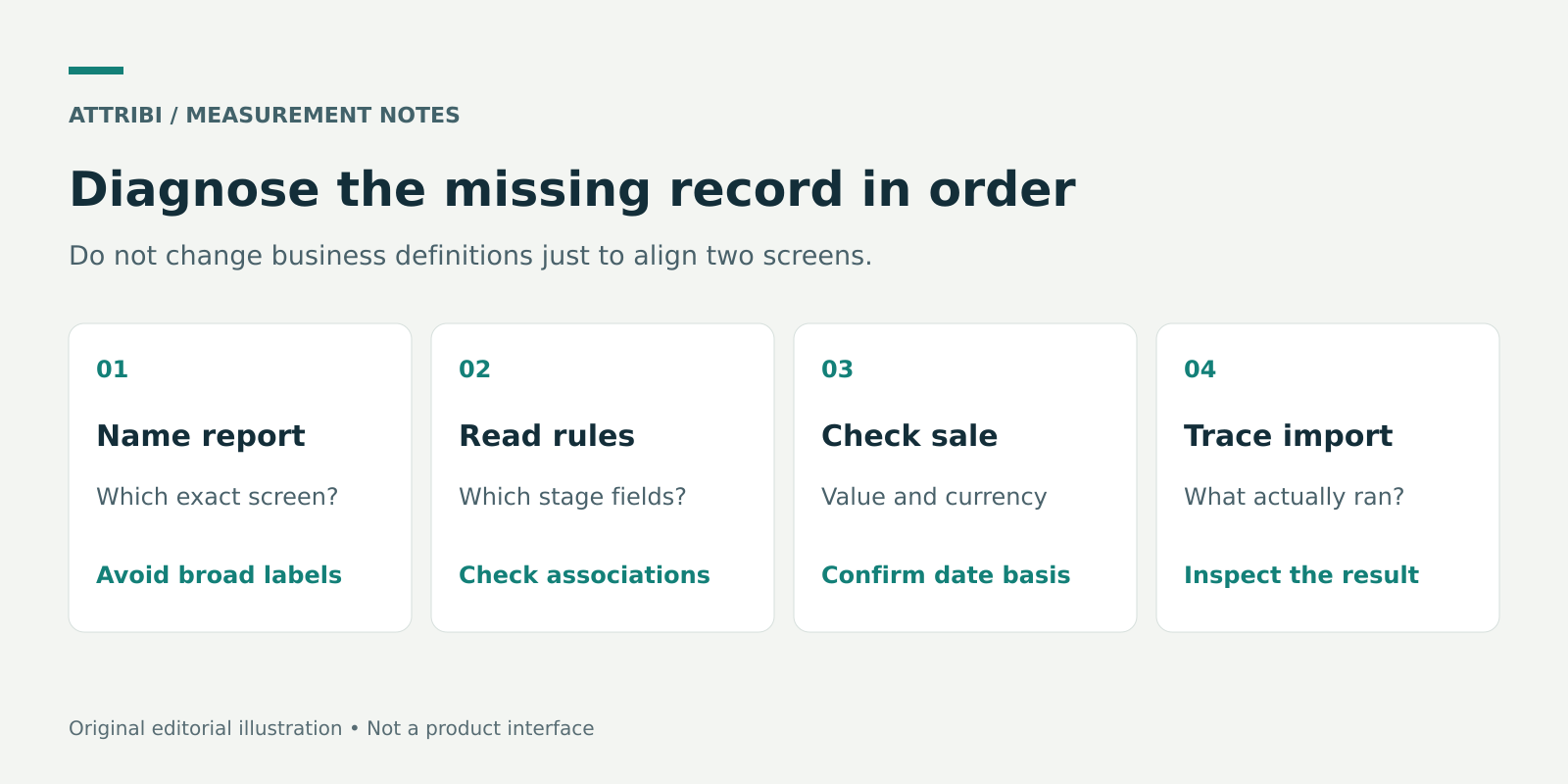
Follow the rules of the selected destination before repairing records or resending outcomes.
Make the smallest justified correction
Assign each exception to one of four categories:
- Business data error. The deal is incorrectly marked won, the amount is missing or the currency is wrong. Ask the CRM owner to correct the underlying commercial record.
- Configuration mismatch. The intended qualified deal-stage IDs are not configured, or the lifecycle automation does not reflect the business process. Review the configuration with the person who owns it.
- Reporting eligibility difference. The sale is valid but does not meet a particular report's rules. Explain the exclusion rather than relabelling the sale to hide it.
- Delivery or processing issue. The record should qualify but no expected import or upload evidence exists. Investigate that specific step.
Record the before-and-after state, the owner and the reason for each change. Recheck one corrected example before applying a bulk change. If an integration has already sent the outcome, confirm its duplicate and correction behaviour before attempting another upload.
For a broader verification sequence, use CRM offline conversion tracking QA. A successful CRM update is only one step in that sequence.
Report the difference without inflating the result
An agency handover should distinguish total won deal value, the subset eligible for the selected report, outcomes observed in the integration and outcomes credited by the ad platform. Label each total with its date basis and currency.
For US and European accounts, do not add USD, EUR and GBP figures into one revenue total without an explicit conversion method. Keep original currencies visible and use the same close-date or conversion-date basis when comparing records. Neither a lifecycle stage nor an integration turns booked deal value into collected cash.
The useful result of the audit is an explained exception list and a repeatable check. Perfect agreement between different attribution products is not the success criterion.
Frequently asked questions
Does a closed-won deal always make its contact a Customer?
Do not assume it. HubSpot provides lifecycle update settings and workflows, and the outcome depends on your configuration. Inspect the contact's actual lifecycle property after the deal changes.
Should I rename my custom stage Customer?
A matching display name is not proof that you are using HubSpot's default Customer lifecycle stage. Check the actual property definition and the report's requirements with your CRM administrator before changing anything.
Can a stage fix recover all missing ad revenue?
No. Missing amounts, identity mismatches, repeat-deal limitations, date filters and attribution eligibility can produce separate gaps. Diagnose the missing record through the full path.
Sources
- HubSpot: Understand ad attribution
- HubSpot: Use lifecycle stages
- Attribi: HubSpot integration and current limitations
Product and documentation checks: 23 October 2026. Workflow examples are illustrative, not customer results.
Connect your CRM once. Every closed deal reaches your ad platforms.
Attribi pulls stage changes from your CRM, matches each deal to the lead it already recorded, and uploads qualified and closed won conversions to Google, Meta, LinkedIn, TikTok and Microsoft.
No credit card. Free up to 500 visitors a month. New workspaces start with 30 days on Pro.